Little Pickles / Business launch & childcare operations
Helping open a preschool. Building the systems to run it.
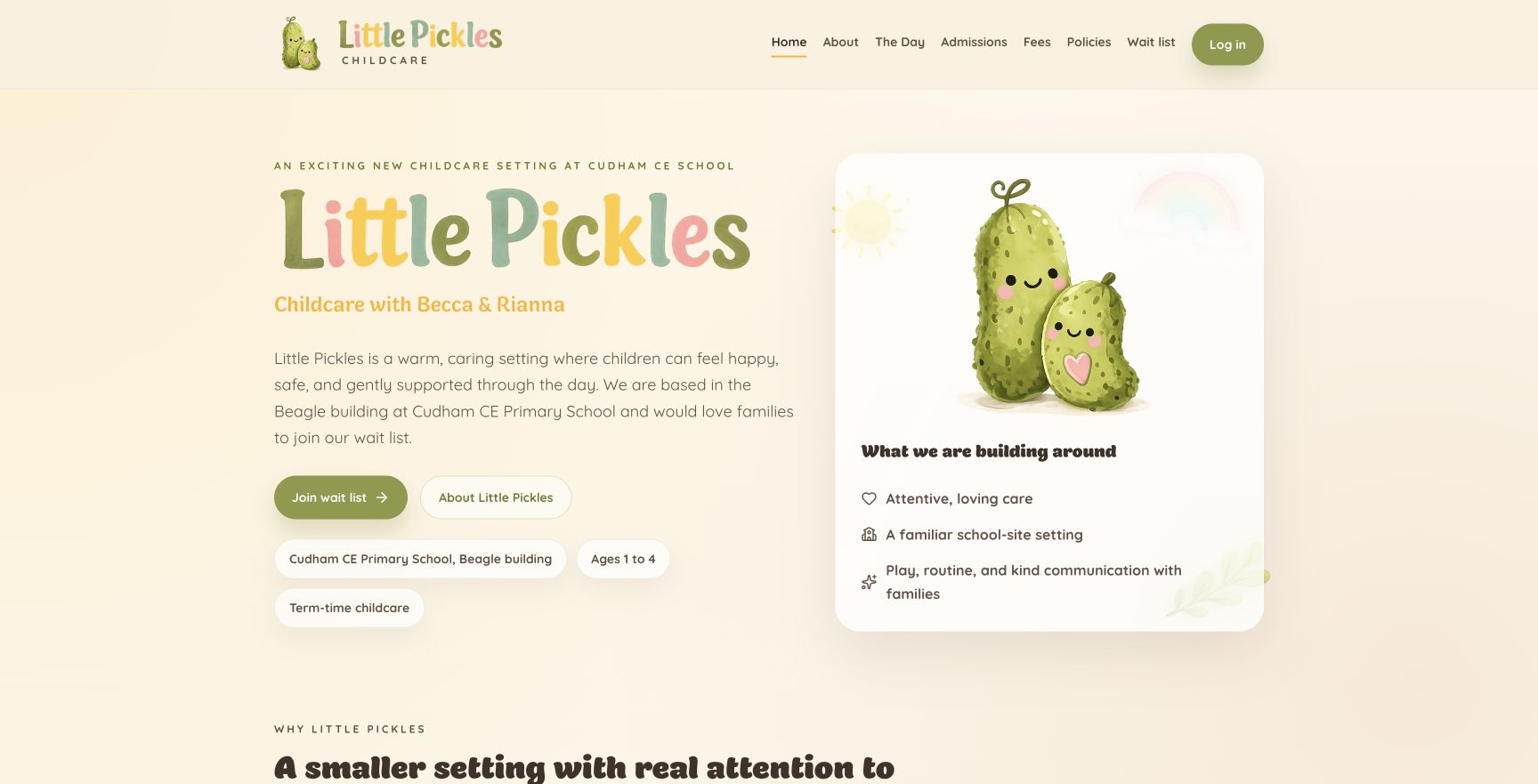
I helped bring Little Pickles to life with my partner, took on its administration, and single-handedly built the public website and the staff and family portal around the business’s day-to-day needs.
- My role
- Preschool setup and administrator · sole website and platform developer
- Period
- 2026–present
- Delivery
- Live business · website and operational portal
01 / The business problem
The work behind the brief.
Little Pickles is a business I helped open with my partner, not an external brief handed to me after the difficult decisions were made. I took on the administrative and technical work involved in getting the setting established and supporting its operation. Becca and Rianna lead childcare delivery; my responsibility is the administration and the systems behind it.
A small preschool still has a substantial operational workload: enquiries, attendance agreements, family information, permissions, funding, invoices, daily care records and communication with parents. I built the entire website and portal application so those jobs could share a coherent workflow instead of becoming a collection of disconnected forms and spreadsheets.
Being an administrator as well as the developer gives me a direct view of where the software helps and where it creates extra work. The platform continues to evolve around practical feedback from the people using it.
02 / What I built
From the interface to the underlying system.
The public front door and admissions journey
I built the branded website, setting information, fees and policies, downloadable documents and enquiry and waiting-list journeys. Multi-child pre-registration and attendance preferences give the team useful information before a family is onboarded.
A connected family record
The portal brings carers, child profiles, emergency contacts, collection arrangements, permissions and onboarding tasks together. Staff can see what is still needed and manage access for the people linked to each child; invited parents have their own family-facing experience.
Attendance, terms and the working day
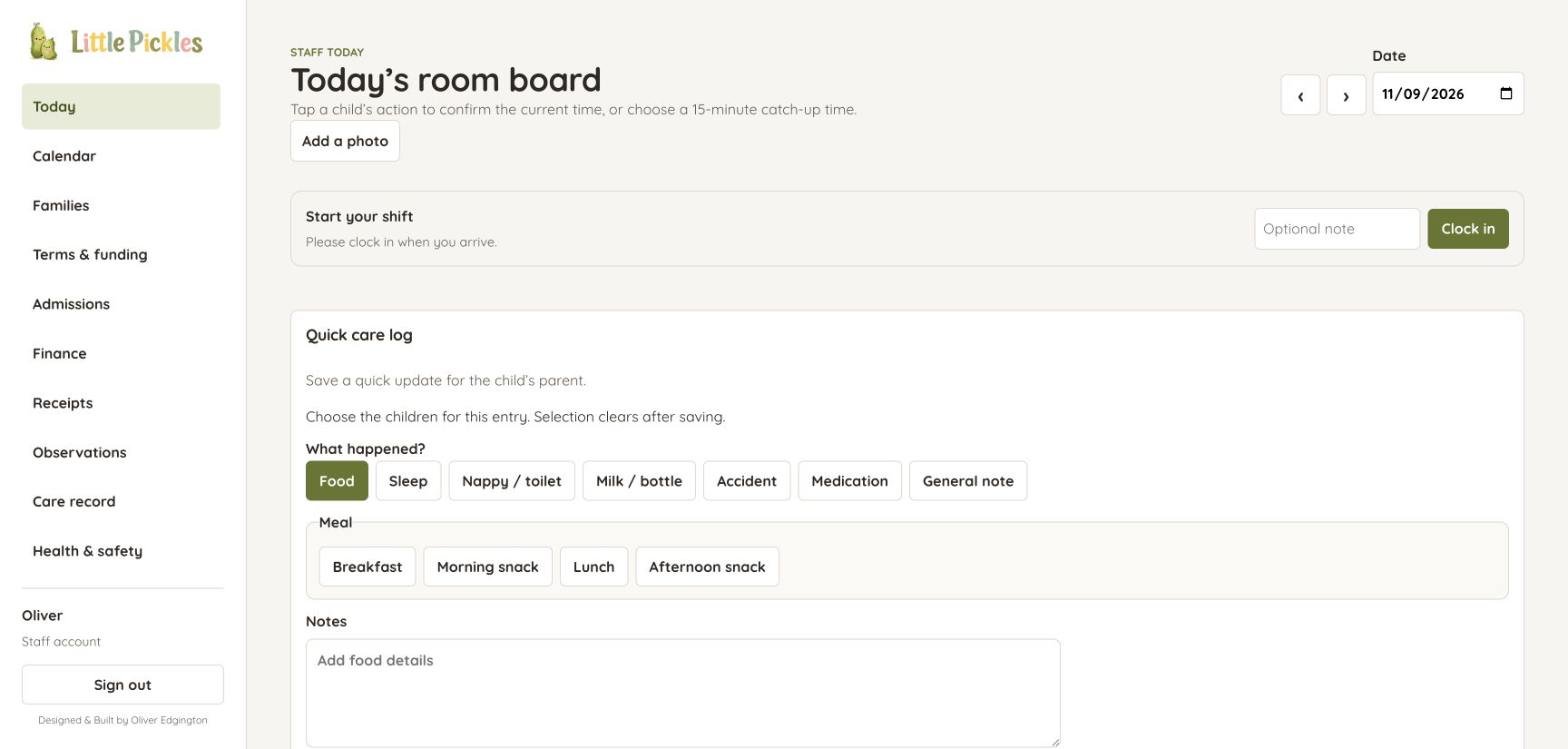
A staff room board supports arrivals, collections and quick care updates. Calendars, dated attendance agreements and term configuration connect the daily view to the longer-term plan, alongside staff clock-in and clock-out workflows.
Funding, agreements and financial administration
The platform supports funded and private hours, attendance changes with effective dates, invoices, receipts and activities charges. Digital childcare agreements and funding declarations include drawn signatures and preserved document snapshots, keeping the record of what was agreed separate from later edits.
Care records and communication with parents
Staff can record food, sleep, nappies, bottles, accidents and medication, alongside observations and development records. Recipient selection, confirmation for group updates and parent acknowledgement workflows help make communication deliberate and traceable.
Photo sharing built around family consent
Batch uploads include progress, retries, captions and child tagging. New photos stay staff-only until review is complete. Family-specific image renditions and emoji covers support consent choices, while authorised thumbnails keep lists quick without exposing an unrestricted original.
Tools that work on the devices staff actually use
Photos are resized and converted in the browser before upload, with an optimised downloadable image and smaller thumbnails. Compact inline review reduces the work needed to caption and tag a batch. These workflows have been developed and checked across desktop and mobile devices.
The infrastructure and ongoing ownership
I built and operate the API, database, authentication, hosting and email integrations as well as the interfaces. Branded transactional communications, attachment-preserving inbound email and sanitised technical alerts support the business beyond the visible screens.
A closer look
More of the work.
The working day, brought together
Actual staff portal running locally with synthetic test data. The room board combines attendance, quick care updates and onboarding follow-up. Empty attendance groups reflect the demonstration dataset.
View full size ↗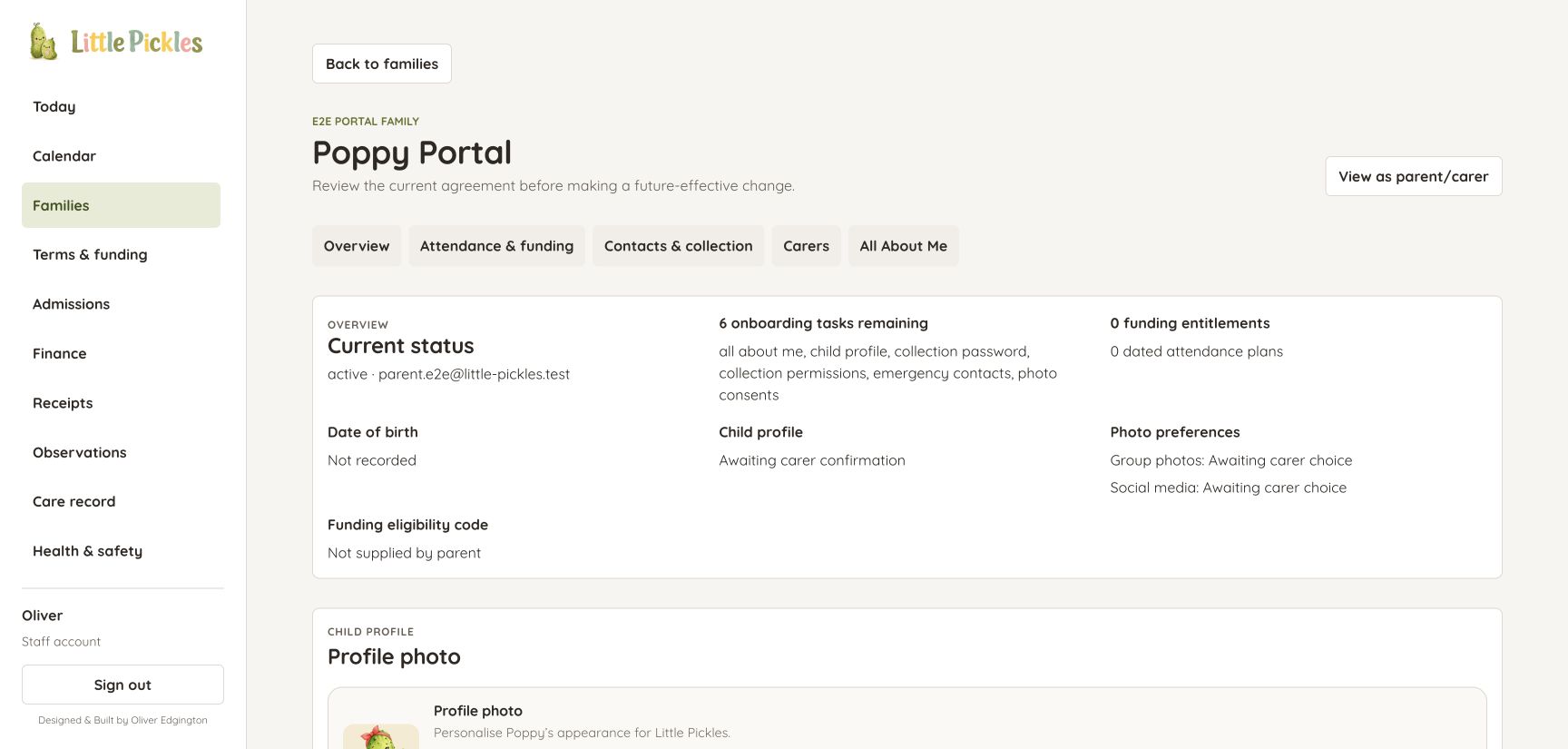
A family record with the next steps in view
Actual family workspace with a fictional test child. Onboarding tasks, consent status, attendance and funding sit alongside the child profile and carer controls. No real family records are shown.
View full size ↗How the pieces fit
- 01
Welcome a family
Website, enquiries, waiting list and onboarding
- 02
Run the setting
Attendance, agreements, funding and daily records
- 03
Keep people connected
Parent access, documents, updates and reviewed photos
03 / Decisions that mattered
The judgement behind the build.
Design from the administrator’s side of the desk
The test is whether the platform makes a real job clearer: knowing who is due in, what a family still needs to complete, or which agreement applies. Direct involvement in the business keeps product decisions close to those questions.
Make sharing a deliberate action
A staff upload is not automatically a parent publication. Review states, family-scoped access and consent-specific images are part of the delivery workflow, rather than instructions staff have to remember outside the software.
Preserve history while the business changes
Attendance plans can change, families can update details and documents can be replaced. Effective dates and preserved signed records make it possible to distinguish today’s information from the agreement that applied earlier.
Keep the running costs proportionate
A small setting needs dependable tools without an enterprise-sized operating bill. A focused React and Node application, SQLite persistence and targeted cloud services keep the system understandable and economical to operate.
04 / What this enabled
Concrete capabilities. Useful foundations.
- A public website and connected admissions route for the preschool I helped establish.
- One custom platform covering staff administration and invited family access.
- Working journeys from onboarding and attendance through agreements, care updates and photos.
- Continued product improvement grounded in my own administrative work and the childcare team’s experience.
Little Pickles is open, with ongoing platform development informed by daily administration and feedback from the childcare team. Portal screenshots use an isolated demonstration dataset, not real family records.
05 / Technical detail
For the closer look.
A single application connects the public website with separate staff and parent experiences, backed by a Node API and relational SQLite data. Domain services manage admissions, families, attendance, finance, care and media. Access is enforced at the API and private media-delivery layers. Document snapshots, audit records and additive data changes support evolving workflows. AWS SES, S3 and Lambda handle business email, while the application is self-hosted behind nginx.
- React / Vite
- Node.js
- SQLite
- Role-based access
- Google sign-in / passkeys
- PDF generation
- Image processing
- AWS SES / S3 / Lambda
- Route 53
- nginx / launchd
A similar challenge?
Let’s talk about your business.
If you are opening a business or outgrowing a patchwork of tools, I can help translate how it actually operates into a working platform. Little Pickles shows the breadth I bring: business understanding, practical administration, product design, full-stack development and responsibility for the system after launch.